- English
- Español
- Português
- русский
- Français
- 日本語
- Deutsch
- tiếng Việt
- Italiano
- Nederlands
- ภาษาไทย
- Polski
- 한국어
- Svenska
- magyar
- Malay
- বাংলা ভাষার
- Dansk
- Suomi
- हिन्दी
- Pilipino
- Türkçe
- Gaeilge
- العربية
- Indonesia
- Norsk
- تمل
- český
- ελληνικά
- український
- Javanese
- فارسی
- தமிழ்
- తెలుగు
- नेपाली
- Burmese
- български
- ລາວ
- Latine
- Қазақша
- Euskal
- Azərbaycan
- Slovenský jazyk
- Македонски
- Lietuvos
- Eesti Keel
- Română
- Slovenski
- मराठी
- Srpski језик
Embedded Development Board Selection: Buying Myths vs Practical Advice
Why is choosing a development board so hard?
There are thousands of development boards on the market. Every salesperson claims theirs is the best. Every blogger recommends a different board. STM32, ESP32, Arduino, Raspberry Pi, Allwinner, Rockchip... Just keeping track of the brands is exhausting, let alone the dozens or hundreds of models under each brand.
Today, let's walk through the pitfalls you'll encounter when choosing a development board, and finally arrive at a practical selection guide.
Myth 1
Blindly buying the most expensive board, thinking "more expensive means easier to learn"
Many beginners diving into embedded systems make the mistake of thinking "buy once, cry once." When choosing their first board, they assume the most expensive option is automatically the safest bet. They gravitate toward high-end boards with tons of features and high specifications.
The logic seems sound: you won't need to upgrade later, high-spec boards look more professional, and they'll be useful for future projects. But reality hits hard.
These high-end boards are designed for commercial and project-level development. They come with dense interfaces, complex circuits, and code and examples tailored for real-world engineering use. Often, 70% of the code exists just to support the other 30% of functionality.
For a complete beginner who just wants to blink an LED, even getting through the low-level initialization can be a multi-day struggle. Before you know it, you're drowning in technical details.
To make matters worse, these boards often have limited tutorials in your language — mostly English documentation — and when you get stuck, there's almost no one to turn to for guidance.
Plenty of newcomers start with genuine enthusiasm, only to have it crushed by layer after layer of complexity. The board ends up gathering dust in a corner. Three months later, your motivation has been beaten to a pulp.
A word of advice for beginners: there's no need to chase the top spec. Focus on boards with abundant documentation, simple architecture, and targeted learning resources. Incremental progress is the most efficient path.
Myth 2
Looking only at specs, ignoring the ecosystem
200 MHz CPU, 512 KB RAM, 64 GPIO pins, dual CAN bus... The spec sheet looks flawless! It outperforms every rival in its price bracket. You place the order immediately.
The board arrives, and you excitedly dive in. Blinking an LED? No problem. But as soon as you attempt something slightly more complex — say, Bluetooth communication, WiFi connectivity, or driving a TFT display — the problems start.
There are fewer than a dozen tutorials online, and they're all just copy-pastes of the official demo with zero explanation of the underlying principles. You try to port an open-source library, only to find fewer than 50 projects on GitHub that use this chip, and the Issues section is basically a ghost town. You hit a compile error, scour English and Chinese forums alike, and find no one has ever asked that question.
This is when it hits you: specs don't matter. Documentation is what actually drives productivity.
A development board without ecosystem support is an island. You're not learning — you're surviving in the wilderness. Every problem forces you to dig into the bare-metal chip manual. Every new feature requires writing your own driver from scratch. Your learning speed plummets to a fraction of what it would be with a well-supported board.
When choosing a board, look at GitHub activity, YouTube tutorial volume, and forum discussion activity first. These matter ten thousand times more than any spec sheet.
Myth 3
Following the hype — buying whatever influencers are using
You're scrolling through Bilibili and see a tech influencer demonstrating an AI board doing object recognition. It has hundreds of thousands of likes, and the comments are full of praise. You get caught up in the excitement and buy the same board.
What's the result?
The influencer is doing AI vision recognition — they need NPU horsepower, Linux, and camera modules. You just wanted to learn the basics of microcontrollers: GPIO control, serial communication, timer configuration.
Your needs couldn't be more misaligned!
AI boards are powerful, power-hungry, and have complex development environments. Setting up the Linux cross-compilation toolchain alone could take you days of frustration. Using that board to learn GPIO toggling? That's not just overkill — it's like hunting a mosquito with a rocket launcher.
What's worse, once you learn how to operate that board, none of that knowledge transfers to other microcontroller projects. You've learned Linux application-level development, not embedded low-level development. The knowledge isn't generalizable.
You end up following someone else's path while losing sight of your own goals.
No matter how popular a board is, if it doesn't fit your needs, it's a useless board. Before buying, ask yourself: What exactly am I trying to learn? What functionality does my project actually require? Don't let someone else's choice lead you astray.
Myth 4
Going cheap with generic or second-hand boards
You search on Taobao: an official board goes for $11, but a random vendor's board looks identical for just $5. You do the math — that's nearly half off! You place the order immediately.
When it arrives, you realize why it was cheap.
The USB connector is poorly soldered and loosens after a few plug/unplug cycles. The power management IC is some off-brand part that can't drive external modules reliably. The PCB uses fewer layers than it should, leading to high-frequency signal interference. The pad quality is terrible — try soldering a header pin and you'll rip the pad right off.
After finally sorting out the hardware issues, you start coding. The program runs for a while, then freezes. You assume it's a bug in your code, spend three days debugging, only to discover the board's power supply is unstable. Reset once, twice, three times — on the fourth try, the chip goes up in smoke.
You thought you saved five dollars. Instead, you wasted 100 hours chasing hardware problems.
Your time, energy, and learning motivation — all consumed by fighting broken hardware. And with generic boards, there's no after-sales support. The seller vanishes into thin air.
By the end, you're ready to give up entirely, convinced you're just not cut out for embedded systems.
Don't be penny-wise and pound-foolish. This kind of mistake will hurt you badly. Hardware is the foundation of your learning, and a shaky foundation means wasted effort. Buy from official sources or trusted distributors. The extra money buys stability, reliability, and support.
Myth 5
Confusing learning boards with engineering boards
Many people don't realize that development boards fall into two main categories: learning boards and engineering boards.
What are learning boards? They have rich interfaces, lots of onboard resources (LEDs, buttons, buzzers), polished tutorials, and tons of example code. They're designed to get you up and running quickly and let you validate ideas fast. Classic examples: Arduino UNO, STM32F103 development kits.
What are engineering boards? They're streamlined, reliable, and ready for mass production — but they don't come with beginner tutorials. The documentation is all English technical manuals and application notes. They're designed for experienced engineers building real products. Classic examples: STM32 Nucleo boards, ESP32-WROOM modules.
Going straight to an engineering board as a beginner? That's jumping several levels beyond your current ability.
You buy a Nucleo board wanting to learn GPIO, only to find there's exactly one LED on the board and nothing else. Looking for tutorials? The official material consists of the reference manual and HAL library documentation — no hand-holding. Asking the community? Everyone assumes you already know the basics. Their response is always "check the user manual" or "it's easy — just read the datasheet."
You thought you were learning, but you're just wrestling with documentation and toolchain configuration, never getting to the core concepts. Three months later, you still haven't figured out serial communication.
This is an invisible trap that 90% of people fall into.
Choosing the wrong type of board, no matter how hard you work, is wasted effort. As a beginner, stick to proper learning boards. Once your fundamentals are solid and your project requirements are clear, then consider engineering boards.
Myth 6
Constantly switching boards, always chasing "something better"
You spend a month with STM32. Then you see someone say ESP32 is more powerful — WiFi! Bluetooth! — and you immediately buy one.
Two weeks into ESP32, you read that Raspberry Pi is the future — Linux! AI! — and you splurge on that too.
Before you've even gotten comfortable with the Pi, a short video pops up claiming Arduino has the best ecosystem for makers, and you're itching to buy yet another board.
Six months later, you've accumulated five different boards. You know a little about each one but haven't truly mastered any.
Why? Because each board has a different architecture, development environment, and programming paradigm.
STM32 is bare-metal programming, based on registers or the HAL library. ESP32 uses FreeRTOS with task-based scheduling. Raspberry Pi runs Linux with application-level programming. Arduino uses pre-packaged libraries that hide the low-level details.
Jumping between them forces you to constantly re-adapt to the environment, re-learn the architecture, and memorize new APIs. Your learning framework shatters into pieces. The result? Six months in, you're not an expert at anything — each board still at the "blink an LED, send serial data" level.
What's worse, you haven't built a solid knowledge foundation. Core concepts like GPIO, interrupts, DMA, clock trees, and communication protocols require repeated hands-on practice with a single board to truly understand. By constantly switching boards, you're restarting from zero every time, never gaining depth.
Depth is ten thousand times more important than breadth.
Pick one board. Master every peripheral, every communication protocol, every low-level mechanism. Build more than ten complete projects. That's what real proficiency looks like. Stop switching boards. Use what you have to its fullest potential.
Myth 7
Going for all-in-one boards with every possible feature
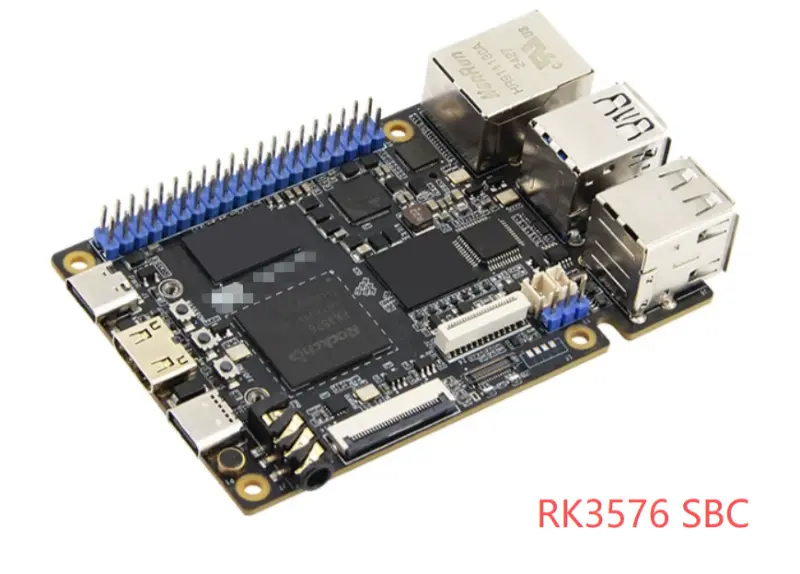
There's a certain type of board that's especially tempting: it comes with a built-in TFT display, integrated WiFi, onboard temperature/humidity sensor, a camera interface, maybe even a tiny speaker. It looks incredibly comprehensive — like buying one board means you can learn everything.
Beginners think: "This is perfect! It has everything I could want!" They place the order immediately.
Only to discover it's a trap of pseudo-needs.
On these all-in-one boards, every feature is pre-packaged. You just call a few functions and the display lights up, WiFi connects, and so on. It seems convenient, but here's the problem: you never see how it actually works under the hood.
You think you're learning how to "build projects." In reality, you're just learning how to "call functions."
When you switch to a different board or need to port your code to a real project, you suddenly realize none of your old code works because the low-level interfaces are completely different. You didn't learn transferable knowledge — just memorized a handful of vendor-specific API calls.
What's worse, these boards have terrible flexibility. The screen and sensors are soldered in place. You can't swap in a different component or reposition an interface. You're locked into whatever the board vendor decided.
The core of embedded systems is understanding principles, not mastering APIs.
As a beginner, start with the simplest possible minimum-system board. Connect and debug peripherals yourself, one by one, until you truly understand them. That's the knowledge that will belong to you forever and transfer to any platform.
Myth 8
Not checking the quality of official documentation
Before buying a development board, many people have a predictable habit:
They compare clock frequencies, price-performance ratios, and community ecosystems back and forth — but they never actually look at the official documentation.
Some chip manufacturers make decent silicon, but their documentation is garbage. Datasheets have missing register descriptions. Critical timing diagrams are omitted. Electrical characteristic parameters are vague.
You think this is a minor issue? Just wait until you're deep into a project. It'll drive you crazy.
You need to configure an advanced timer. The documentation only covers basic modes — key features like complementary PWM output and dead-time insertion are nowhere to be found. You want to use DMA for data transfer, but the address configuration in the documentation contradicts itself, leaving you unsure which to trust. You run into a weird hardware bug, check the errata, and find the official document hasn't been updated in two years.
And it gets worse. Some chips come with zero official technical support. Forum questions go unanswered. FAEs are unreachable. When problems arise, you're completely on your own. You didn't buy a development board — you bought a black box.
Good documentation is invisible productivity. Bad documentation is an invisible crater.
Before committing to a board, go to the manufacturer's website, download the datasheet and reference manual, and flip through a few pages. If they can't even describe the registers clearly, stay far away.
Myth 9
Buying the board but skipping the tools
Many people buy a development board and absolutely nothing else.
The board arrives, and you're ready to start learning — except:
No programmer. You can't flash your code. Rush to order one, wait two days for delivery.
No jumper wires. Can't connect any peripheral modules. Order again, wait again, waste another two days.
No logic analyzer or oscilloscope. Debugging SPI/I2C communication means guessing blindly. Troubleshooting a single communication bug could take a week.
Under these conditions, learning efficiency is abysmally low. You mistake tool-related problems for your own incompetence.
Some people get stuck a few times, lose confidence, and conclude that "embedded systems are too hard — I'm just not cut out for it." Then they give up. But the truth is, it's not you — it's your incomplete toolchain.
What does a professional engineer's desk look like? Programmers, logic analyzers, oscilloscopes, multimeters, every type of jumper wire you could need, breadboards, and a stock of common
components — all within reach. When a problem arises, you grab the right tool and debug it in minutes.
Tools are force multipliers, not optional luxuries.
When buying a development board, get everything at once: a programmer (ST-Link or J-Link), a USB-to-TTL serial module, a logic analyzer (a cheap one costs less than $15), a multimeter, an assortment of jumper wires, and a breadboard. Spend an extra $40, and your learning efficiency will multiply by ten.
Myth 10
No fallback plan
Many people go all-in on a single chip for their project. The entire design depends on it.
You write thousands of lines of code. Send the PCB out for fabrication. Pass all your tests. You're ready for production. Then — suddenly — you find out that chip is out of stock.
The supplier says: 6-month lead time, and the price has doubled.
Now you're in trouble.
Your project is dead in the water. Customers need products, and you can't even buy the chips. Want to switch to a different chip? You have to rewrite all your code, redesign the PCB, and redo all your testing — at least a three-month delay.
This exact scenario played out countless times over the past few years. During the pandemic chip shortage, how many projects died on the vine?
Even worse, some chips get discontinued overnight. An official announcement comes out, and you've got six months to transition — tops. What happens to your existing product? How do you maintain the devices you've already sold? How do you fulfill new customer orders?
Without a Plan B, you're handing over the fate of your project to the supply chain.
What do professional hardware engineers do? From day one, they identify two or three pin-compatible or functionally interchangeable chips. They write their core code using HAL libraries or abstraction layers to minimize porting costs. They monitor the manufacturer's supply status and product roadmap to anticipate risks before they become problems.
For commercial projects, supply chain security is paramount. Don't just look at a chip's specifications — look at the manufacturer's scale, production capacity, channel coverage, and
technical support capability. Big-name chips might cost a bit more, but they come with stable supply, no sudden discontinuations, and FAE support when things go wrong. Long-term, that's the safer choice.
Fallback planning isn't an afterthought — it's insurance for your project's success.
Beginners can ignore this for learning purposes. But if you're working on a commercial project, a capstone design, or a competition entry, plan for backup chips from the start. Don't wait until disaster strikes — by then, it's already too late.
The Most Important Part
Selection Guide
Step 1 — Define Your Goal: Avoiding Mismatched Requirements
(Corresponds to Myth 3 — Following the hype)
(Corresponds to Myth 7 — All-in-one boards)
Core logic: Different goals demand completely different boards. For learning the basics, you need abundant tutorials. For product development, you need supply chain stability. For AI projects, you need computational horsepower. Define your goal first — then narrow down the options.
Step 2 — Evaluate the Ecosystem: Avoiding Dead-End Boards
(Corresponds to Myth 2 — Specs over ecosystem)
(Corresponds to Myth 8 — Ignoring documentation quality)
Core logic: Fancy specs mean nothing if you can't learn from documentation or find community support. The ecosystem determines your learning efficiency, development velocity, and troubleshooting capability. An active ecosystem acts as your invisible team.
Step 3 — Choose a Mainstream Platform: Avoiding Supply Chain Headaches
(Corresponds to Myth 4 — Cheap generic boards)
Core logic: Mainstream platforms mean market validation, stable supply, and no sudden obsolescence. Choosing the leading players means choosing peace of mind. You don't need to gamble on a niche chip's survival — stand on the shoulders of giants.
These three steps form an unbroken chain. Step 1 sets your direction. Step 2 validates feasibility. Step 3 secures safety.
Remember the Three-Step Board Selection Framework: Define Your Goal→Evaluate the Ecosystem → Choose Mainstream.
For 99% of scenarios, this formula is all you need.
For the remaining 1% — you're already an expert. You don't need anyone's advice.
ONE MORE THING
This content is a compilation of wisdom from the embedded developer community, shared here with thanks. Special thanks to all the developers who contributed their insights.
Thinkcore Team is an embedded board solution provider, developer, and motherboard supplier, specializing in the design, manufacturing, sales, and technical sharing of embedded motherboards. Our chipset portfolio includes Rockchip, Allwinner, and others. We welcome inquiries and collaboration.